Engineering paper
Green, 5 per inch, header and holes
Light green grid, five squares per inch, a bold line every inch and a Name, Course, Date and Page header. Fill in the header, then download a true-size PDF.
The classic sheet and five variations. PDF prints Letter; the second button prints A4.
Green, 5 per inch, header and holes
35 × 50 squares on A4
70 × 90 fine squares
Bigger squares, same header
Lightest on the page
Wide sketches and long equations
Engineering paper is graph paper with a job to do: a light green grid at five squares per inch, a bold line every inch and a header that keeps homework in order. This page prints it at true size, with your name and course already filled in if you want.
Every part of the sheet has a reason, and you can change each one before downloading.
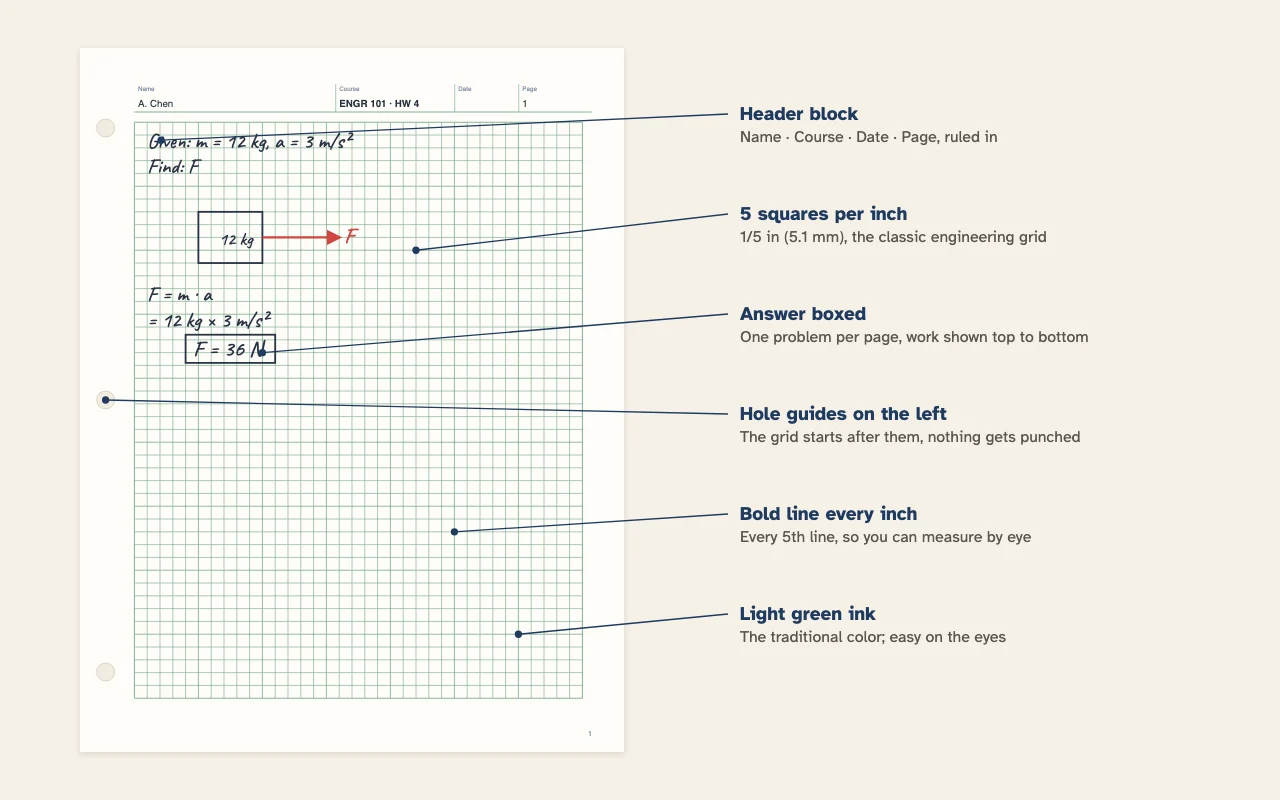
| Part | On this sheet | Why it is there |
|---|---|---|
| Squares | 1/5 in · 5.08 mm | Five per inch makes decimals and scales easy |
| Bold lines | Every 5 squares (each inch) | Measure lengths by eye without counting |
| Header | Name · Course · Date · Page | Pages stay in order when you hand them in |
| Hole guides | Three, 4.25 in apart on Letter | The grid starts after them |
| Color | Light green | Quiet under pencil, the traditional look |
| Squares per page | 35 × 45 on Letter | 30 × 50 on A4, 35 × 55 on Oficio |
Quarter-inch graph paper splits an inch into four, which suits fractions. Engineering work runs on decimals, so five squares per inch is handier: each square is 0.2 inch, two squares are 0.4, and a bold line marks every whole inch. A force diagram drawn at one inch per 10 newtons reads straight off the grid at 2 newtons a square.
The finer step also gives more room for numbers. A Letter sheet of engineering paper has 35 columns, against 28 on quad ruled graph paper, so a long equation fits on one line.
Instructors vary, but most engineering and physics courses expect something like this:
Write on the gridded side only. If you staple a problem set, punch the sheets first so the header stays at the top.
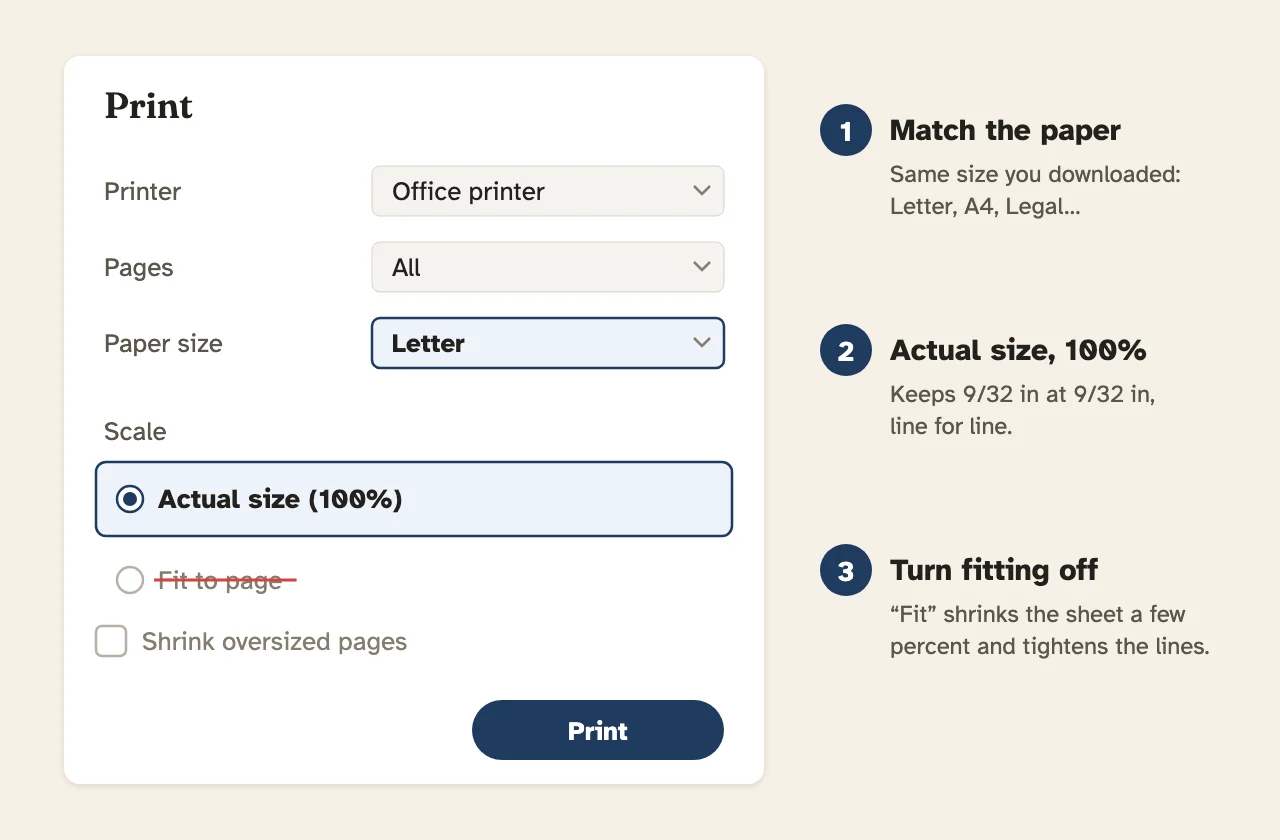
Engineering computation pads from a store print the grid on the back of thin paper, so it shows faintly through the front and stays off photocopies. Your printer can only print on the side you write on. To get close to that look, keep the light green, set Line weight to Fine, and print on ordinary 20 lb paper.
If your course submits work as scans or photos, the green helps too: most scanning apps turn it nearly white in black and white mode, and your pencil stays dark.
For quarter-inch or metric squares without the header, use graph paper. For three-dimensional sketches, isometric graph paper is the usual companion in drafting classes.
Engineering paper, also called engineering computation paper, is a light green grid of five squares per inch with a ruled header across the top for name, course, date and page. Engineering and physics courses use it for homework so every problem is laid out the same way.
Light green is easy on the eyes for long problem sets and stays in the background behind pencil and ink. On printed pads it is also faint enough that photocopies pick up the handwriting and not the grid. Pick Gray or Black if you prefer.
Commercial pads print the grid on the back of thin, slightly translucent paper. It shows through to guide your writing but stays off photocopies and scans. A home printer prints the grid on the front, so use Fine weight and light green to keep it quiet.
At five squares per inch with hole guides on, a Letter sheet holds 35 × 45 squares under the header. A4 holds 30 × 50 and Oficio 35 × 55. Switch to 10 per inch for 70 × 90 smaller squares on Letter.
It is a kind of graph paper. The differences are five squares per inch instead of four, a bold line every inch, the header block, the margin for hole punching and the green color. For plain quarter-inch squares use the graph paper page.
Name on the left, then Course, Date and Page. Your name prints in the Name box and Title on the page prints in the Course box, so type something like ENGR 101 · HW 4 there. Turn on page numbers and every sheet in the PDF gets its own number in the Page box.
Yes. Turn off Hole marks or use the No hole margin card. The grid then starts half an inch from the left edge; on A4 that adds a block of five columns, 35 × 50 instead of 30 × 50. With hole marks on, the grid starts after the punch guides so nothing is lost when you punch it.
A common format is one problem per page: write Given and Find at the top, draw a sketch, show each step on its own line, and box the final answer with its units. Many instructors also ask you to leave the back of the sheet blank.
Yes. Pick A4 with the second button on any card or with Paper size. The squares stay at 1/5 inch and the grid fits 30 columns by 50 rows. If your course asks for metric, try the 5 mm grid on the graph paper page.