Classic Cornell
2.5 in cue, college ruled
Cue column, lined notes area and summary box, with topic, name and date at the top. Choose the column widths and line spacing, then print.
Common setups for different classes. PDF prints Letter; the second button prints A4 or Legal.
2.5 in cue, college ruled
Room for math and large writing
29 lines of notes
3 in for questions and vocabulary
27 lines on Letter
36 lines for long lectures
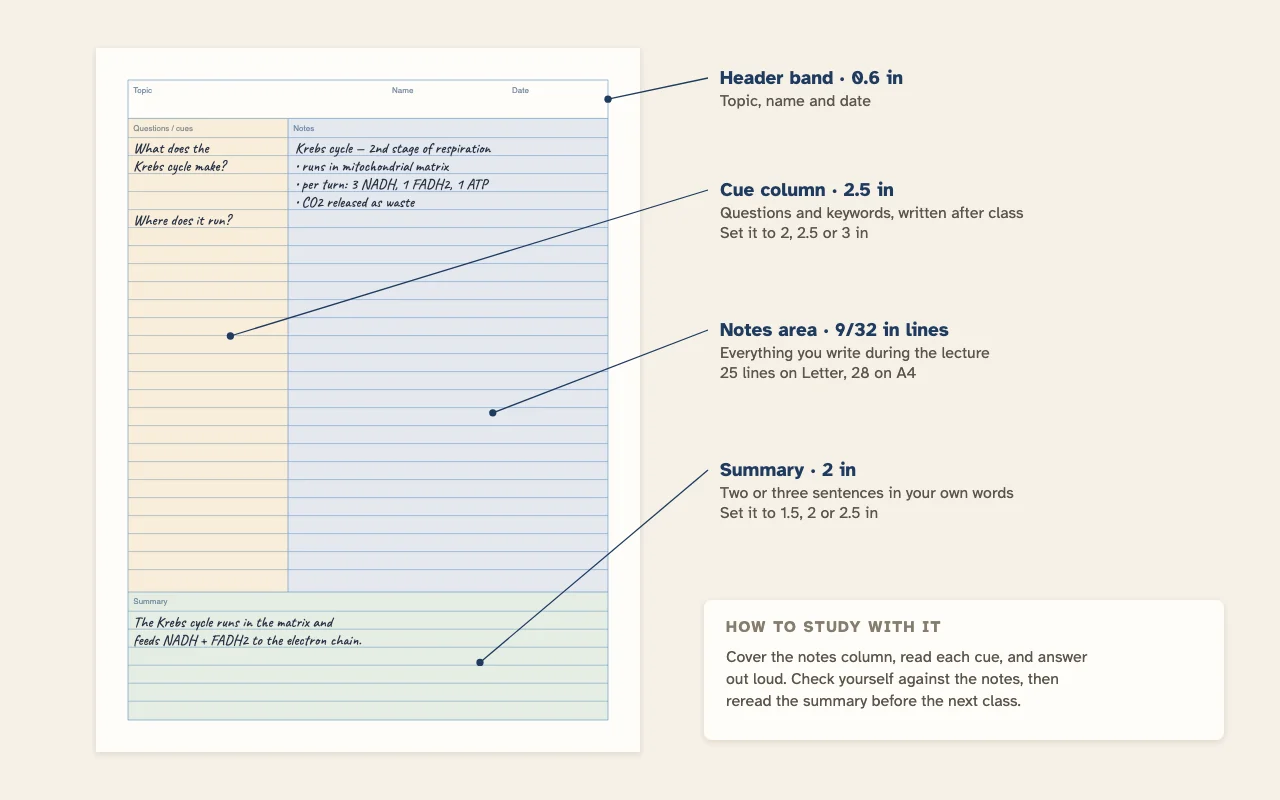
A Cornell notes page is split into three parts: a narrow cue column on the left, a wide notes area on the right and a summary box at the bottom. This template prints it with real ruled lines, at the column widths you choose.
| Part | Default size | Options |
|---|---|---|
| Page border | 0.5 in from every edge | — |
| Header band | 0.6 in tall | Topic, Name and Date labels |
| Cue column | 2.5 in wide | 2, 2.5 or 3 in |
| Notes area | The rest of the width | Line spacing 5 mm to 1/2 in |
| Summary box | 2 in tall, lined | 1.5, 2 or 2.5 in |
On narrow pages such as A5 and Half Letter, the generator keeps the cue column to at most 40% of the page width and the summary to at most 35% of the height, so the notes area never gets squeezed out.
The layout comes from Walter Pauk, who taught study skills at Cornell University in the 1950s. Its point is that the same page gets used three times:
Because the lines run across both columns, every cue sits on the same line as its note. That alignment is what makes step 4 work, and it is the main reason to use a printed template rather than drawing the lines by hand.
The notes area uses the same rulings as the rest of this site. College ruled is the default; switch with the arrows next to Line spacing.
| Line spacing | Notes lines on Letter | On A4 | On Legal |
|---|---|---|---|
| 1/4 in · narrow ruled | 29 | 31 | 41 |
| 7 mm | 26 | 28 | 37 |
| 9/32 in · college ruled | 25 | 28 | 36 |
| 8 mm | 23 | 25 | 32 |
| 11/32 in · wide ruled | 21 | 23 | 29 |
| 3/8 in | 19 | 21 | 27 |
Column sizes change the count too. With a 2 inch cue and a 1.5 inch summary, a college ruled Letter page has 27 notes lines; with a 3 inch cue and a 2.5 inch summary it has 24. A cue width does not change the line count, only the summary height does, because the notes lines run the full width.
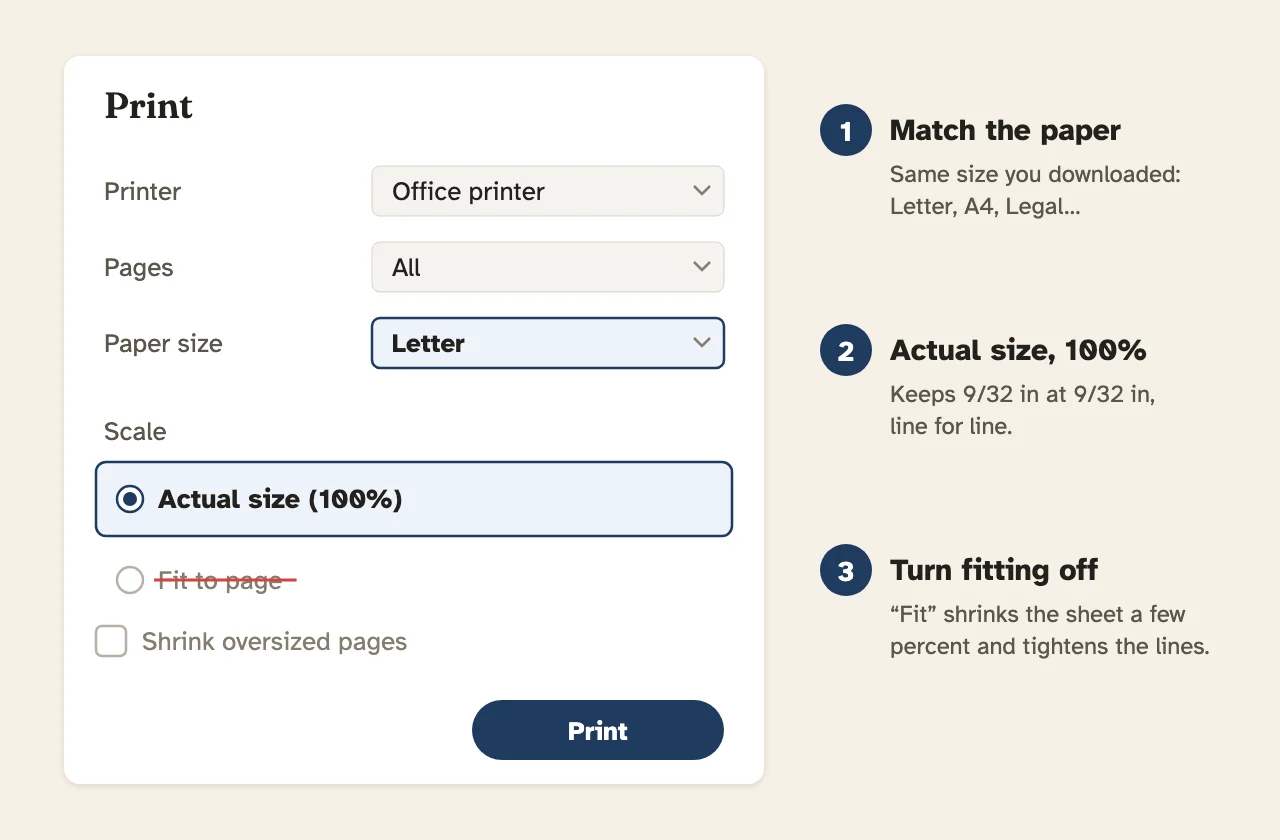
The template prints with a half-inch border all round and has no hole guides, because the cue column starts right at the left border. To punch it, use a sheet of notebook paper as the guide on top of the stack and keep the holes inside the half-inch border. Turn on Page numbers if a lecture runs to several pages, and print double-sided with flip on long edge to halve the stack.
If you would rather take plain notes and add structure later, start on narrow ruled paper and draw a cue line yourself.
It is a way of laying out a page so that notes turn into study material. You take notes in the wide right column during class, write questions or keywords in the narrow left column afterwards, and sum up the page in a few sentences in the box at the bottom.
Walter Pauk, an education professor at Cornell University, developed the layout in the 1950s and described it in his book How to Study in College.
The classic layout uses a cue column of about 2.5 inches on a Letter page, which is the default here. Choose 2 inches if your notes run long, or 3 inches if you write full questions in the cue column.
With college ruled 9/32 inch lines, the notes area on a Letter page has 25 lines, A4 has 28 and Legal has 36. The summary box has its own lines on top of that.
Yes. The lines run the full width of the page so each cue sits on the same line as the note it belongs to. That is what lets you cover the notes and quiz yourself line by line.
Yes. Pick A4 under Paper size. The cue column and summary box keep their widths in inches; the notes area gets three more lines than on Letter.
Yes. Type it in the Title field and it prints in the Topic box of every page. Your name goes in the Name field. The date is left blank so you can fill it in each class.
Yes, with a small change. Use the notes column for worked examples and the cue column for the type of problem or the formula used. Wider line spacing, such as 11/32 inch, leaves room for fractions and exponents.
You can print the PDF to fill in by hand, or open it in a tablet note app that accepts PDF pages and write on it with a stylus. The PNG and SVG downloads also work as a background page.